Part Creation
Overview
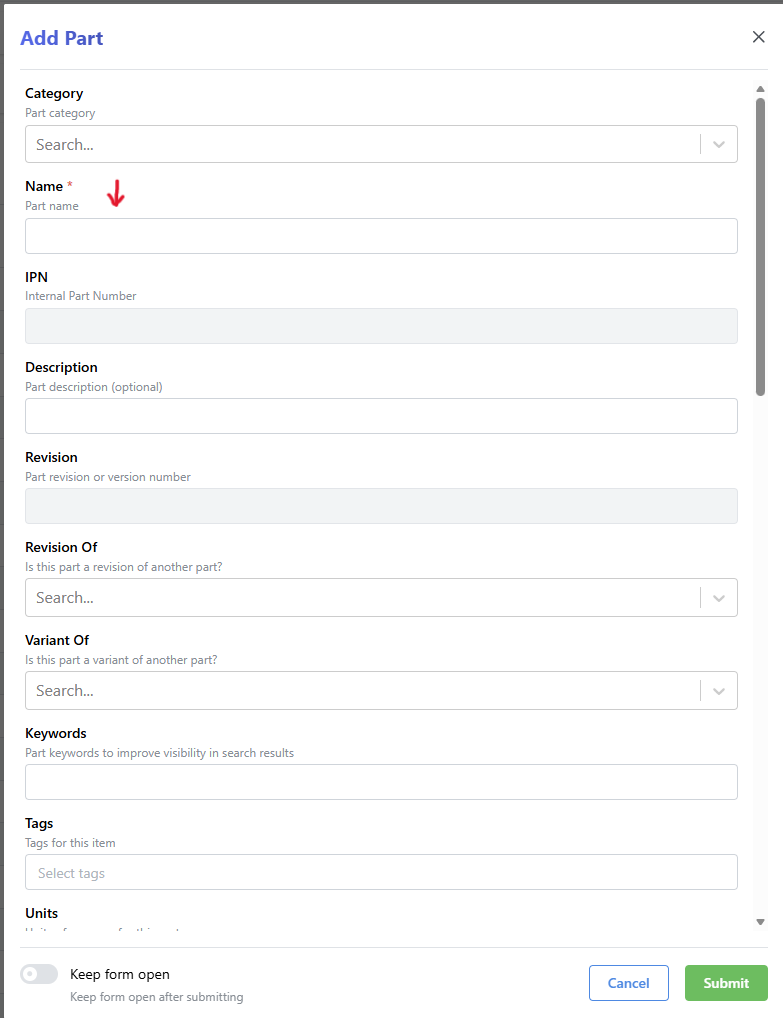
Parts are first created in Inventree where they are assigned an IPN. Then they can be created in fusion/solidworks/kicad with the correct IPN. Parts should be named in all caps. The part naming format is <IPN | Name> (example: TRT-0000145/A | EXAMPLE PART)
Inventree Part Creation
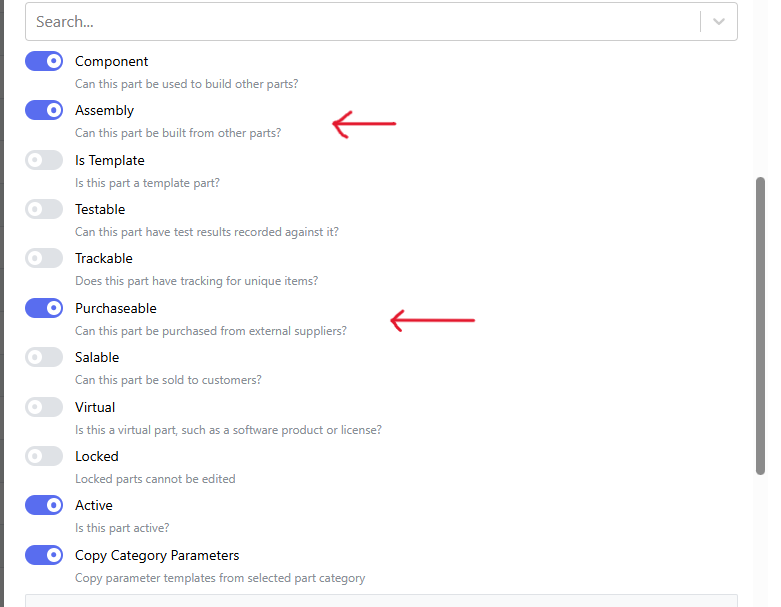
Part creation in Inventree is easy, but there are a few options to know about. "Assembly" and "Purchasable" are the two biggest ones, you will need to choose the correct option depending on if we build or buy the part you are adding,
IPNs and revisions are all handled by the system.
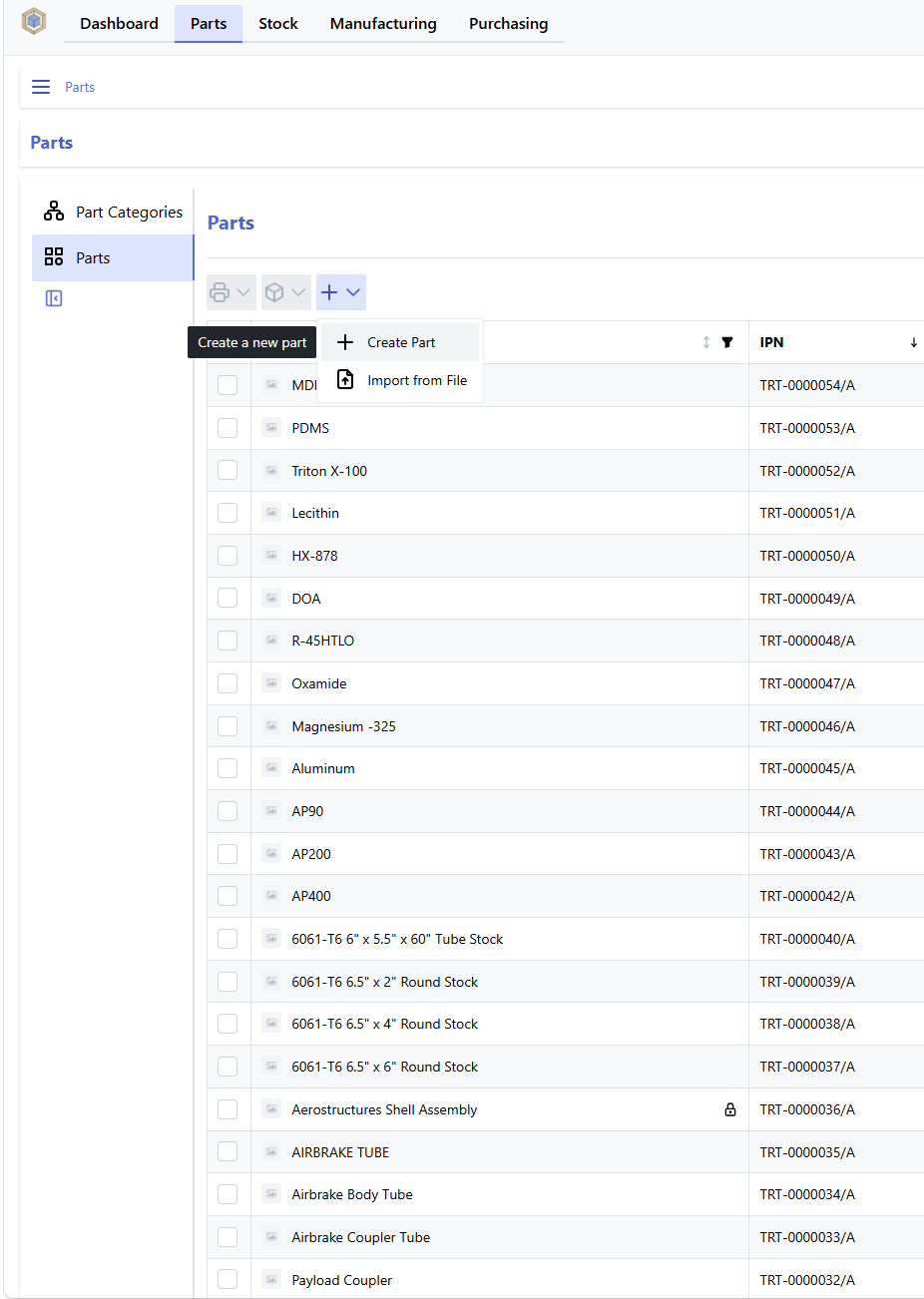
Go to the part page and click the plus, then click create part.
If the part is an assembly, then it will also need a BOM.
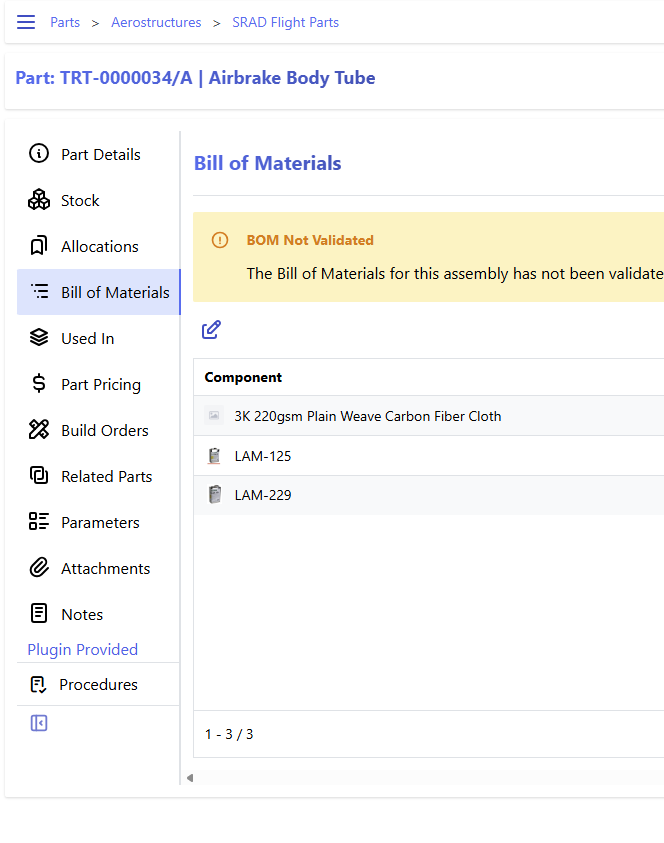
Once the BOM is correct, validate the BOM and lock the part: